
Screenshots
App details
- Updated
- Apr 30, 2025
- Language
- Chinese 9 moreLanguagesChineseEnglishFre...
- Developer
- Razer Inc.
- Category
- Mobile
SoftPas in:
This product is also available in the following languages:
About Razer Cortex
Download Razer Cortex – game booster, PC gaming performance, gaming deals, game launcher, gameplay recording
Overview
Razer Cortex is a specialized utility tool designed to enhance the PC gaming experience by optimizing system performance and streamlining game management. Developed by Razer Inc., a well-known name in the gaming hardware and software ecosystem, the app serves as a comprehensive platform for gamers seeking to maximize their system’s capabilities. The primary purpose of Razer Cortex is to reduce lag, improve frame rates, and ensure smooth gameplay through intelligent resource allocation. It addresses common issues such as background process interference, system notifications, and inefficient hardware utilization, all of which can degrade gaming performance. The app is tailored for PC gamers who own multiple titles across various platforms and want a centralized hub to launch, organize, and optimize their games. It also appeals to budget-conscious players looking to access real-time gaming deals without manually browsing multiple websites. By integrating performance optimization with a curated deal feed, Razer Cortex bridges the gap between technical efficiency and cost-saving convenience. Real-world use cases include preparing a gaming rig for a competitive match, organizing a large game library, or quickly finding discounted titles during seasonal sales. In the broader app ecosystem, Razer Cortex stands out as a niche yet powerful tool that complements existing gaming platforms by focusing on system-level enhancements and user-centric features.Key Features & Functionality
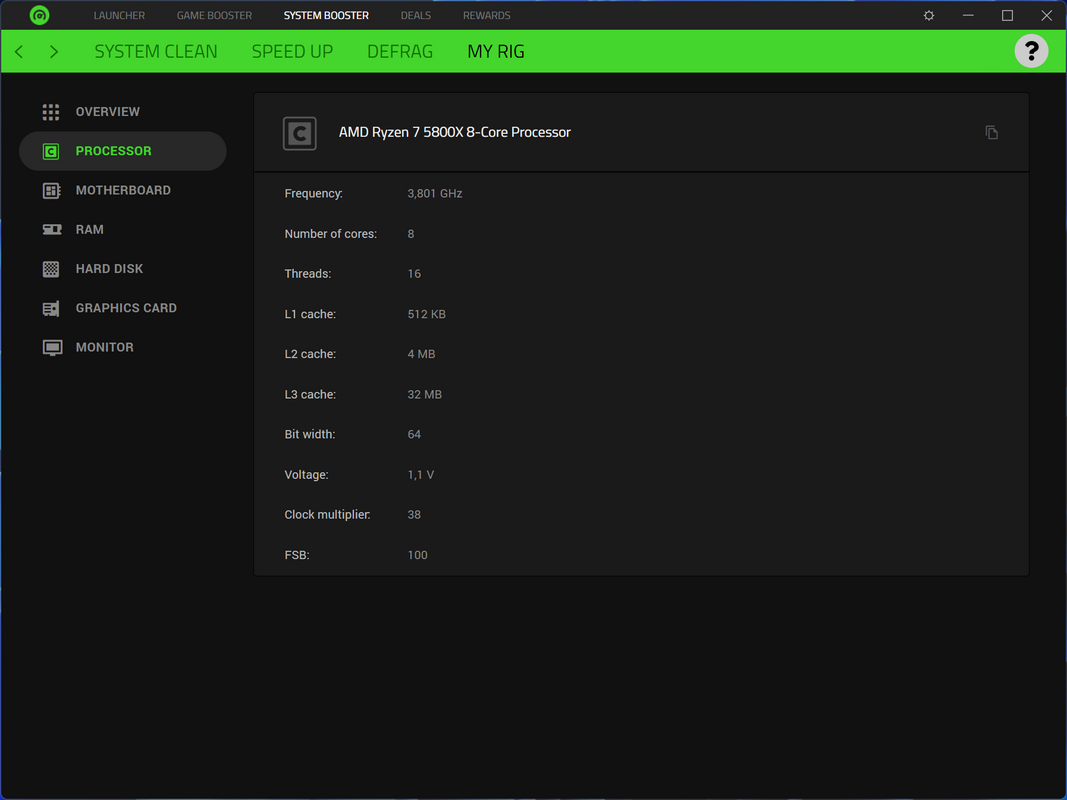
Razer Cortex delivers a suite of features designed to improve both the technical and experiential aspects of PC gaming. The system performance boost feature dynamically optimizes the PC by identifying and minimizing resource-heavy background applications, adjusting system settings for gaming, and freeing up RAM and CPU capacity. This results in reduced input lag and improved frame rates during gameplay. For example, a player preparing for a high-stakes online match can activate the boost to ensure their system runs at peak efficiency. The game launcher and organizer function provides a unified interface for launching games from multiple platforms, including Steam, Epic, and others. It automatically detects installed games and arranges them in a clean, searchable library, eliminating the need to switch between platforms. This is especially beneficial for users with extensive game collections. Access to the best gaming deals allows users to browse discounted titles, free game offers, and promotional bundles directly within the app. This feature saves time and helps users make informed purchasing decisions. The game booster feature further enhances performance by disabling non-essential system services and notifications during gameplay, reducing distractions and maintaining consistent performance. Lastly, the built-in gameplay recording and sharing capability enables users to capture and export gameplay clips or full sessions with minimal setup. This is ideal for content creators who want to share highlights on social media or streaming platforms. Each feature is designed to support a seamless, high-performance gaming workflow.- System performance boost via resource optimization
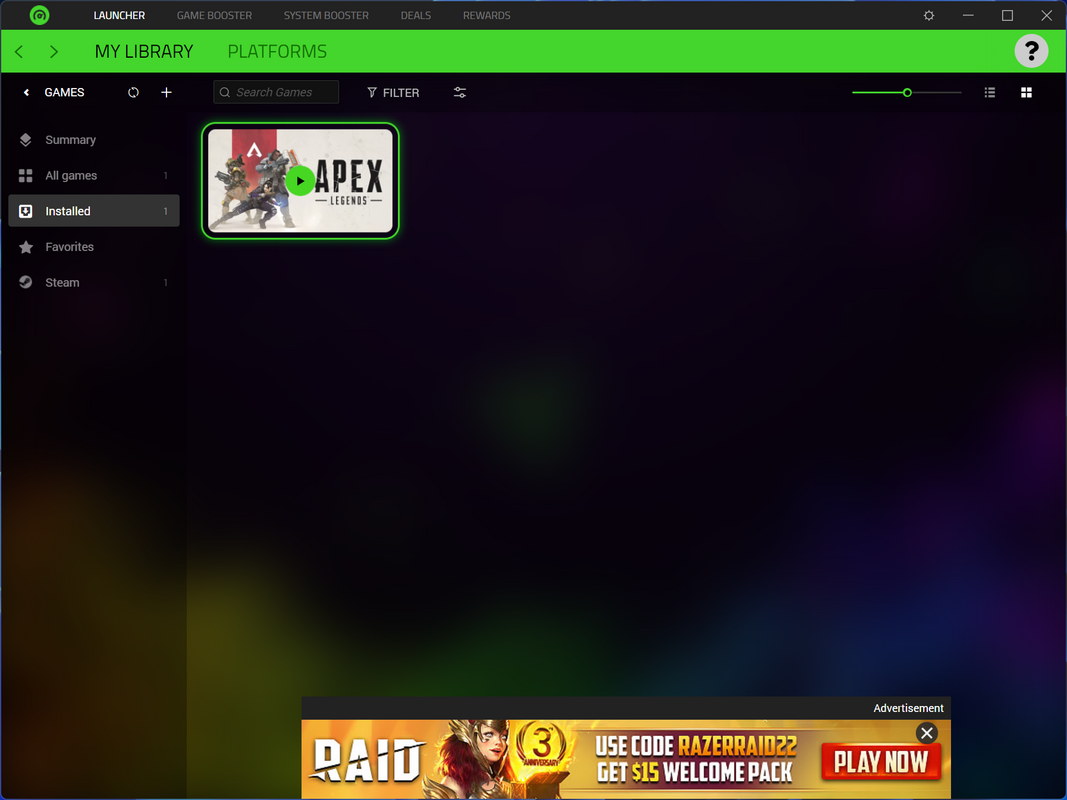
- Centralized game launcher and library organizer
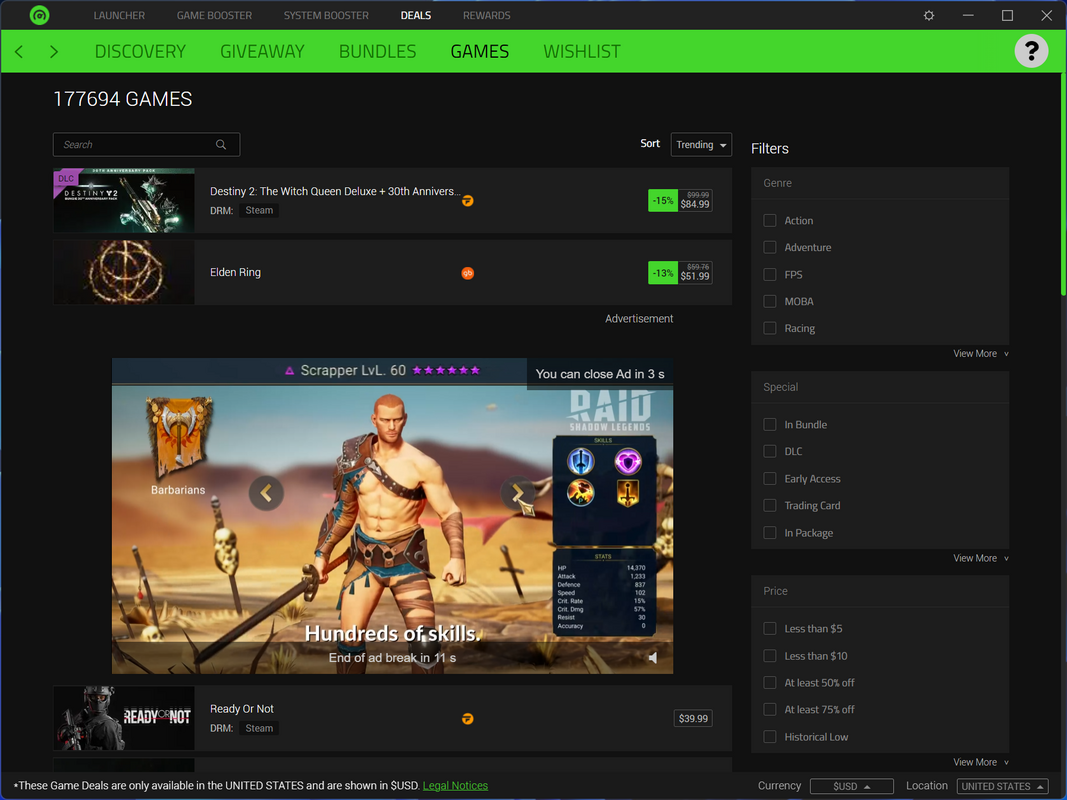
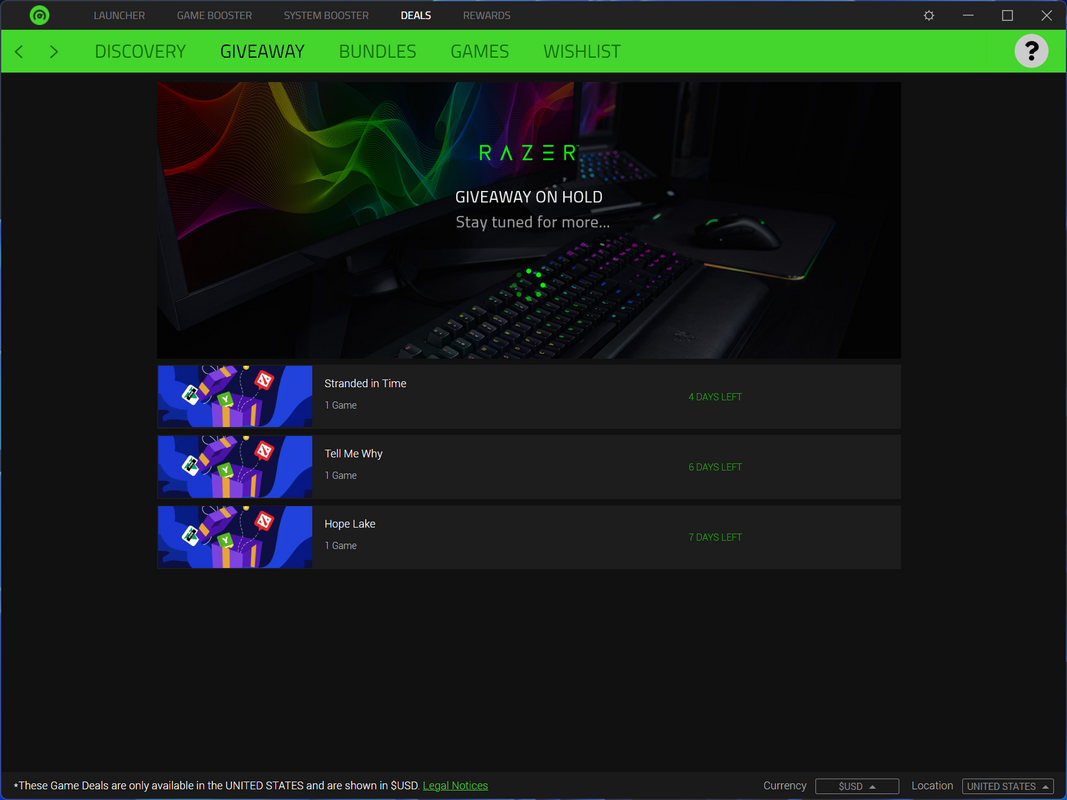
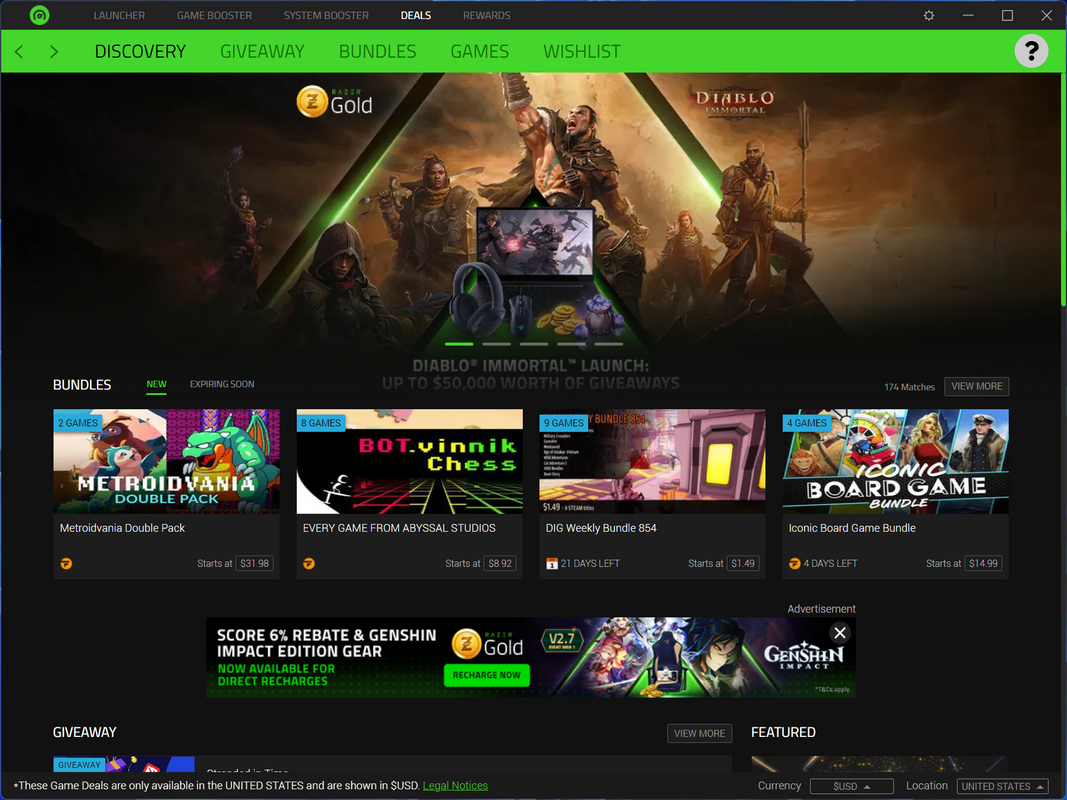
- Curated access to real-time gaming deals and discounts
- Game booster that disables background processes and notifications
- Integrated gameplay recording and sharing tools
Interface, UX & Performance
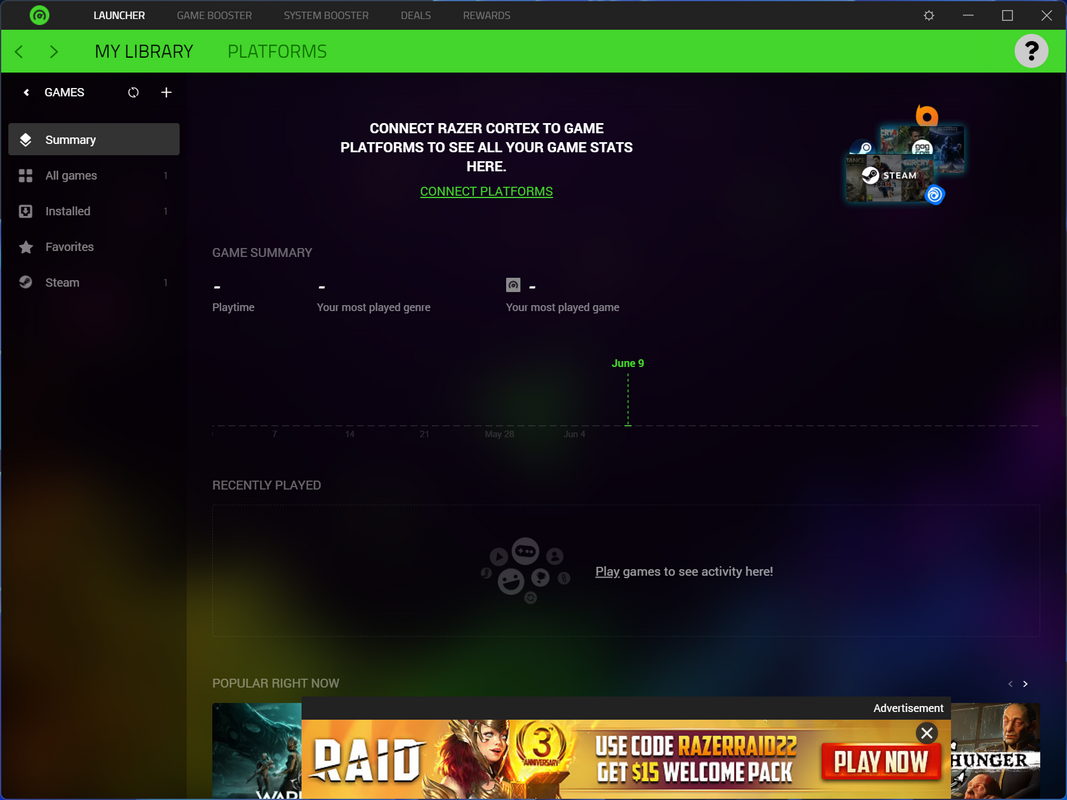
The user interface of Razer Cortex is designed with usability and clarity in mind. It features a clean, minimalist layout with intuitive navigation, allowing users to quickly access core functions such as game launching, performance boosting, and deal browsing. The visual style aligns with modern PC software aesthetics—dark-themed with subtle animations and clear iconography—making it visually appealing and easy on the eyes during extended gaming sessions. Navigation is straightforward, with a sidebar menu offering quick access to the game library, performance settings, deal feed, and recording tools. The app maintains consistent responsiveness across different screen sizes and resolutions, though specific performance metrics were not provided. Although the developer did not list formal performance metrics, the app’s lightweight file size of 48.2 MB suggests efficient resource usage. Users can expect stable operation during typical use cases, such as launching games or activating the game booster. The app does not appear to cause system instability or significant CPU spikes under normal conditions. However, compatibility with older Windows systems or specific hardware configurations was not fully disclosed. The overall experience is smooth and distraction-free, particularly when the game booster is active. The interface supports keyboard shortcuts and mouse interactions, enhancing accessibility for power users.Platform Compatibility & Technical Requirements
Razer Cortex is available exclusively on the Windows platform. It is compatible with Windows operating systems, though specific version requirements were not listed by the developer. The app has a file size of 48.2 MB, indicating a lightweight installation that should not strain system storage. The developer did not specify minimum OS requirements, hardware specifications, or compatibility details for older Windows versions. It is recommended to ensure your system meets standard Windows requirements for running modern applications. Users should verify compatibility with their current setup before installation. No additional dependencies or third-party software are required for basic functionality.Pros and Cons
- Lightweight size (48.2 MB) with minimal system impact
- Free to download and use
- Comprehensive game launcher with automatic library detection
- Effective system performance boost for smoother gameplay
- Integrated access to real-time gaming deals and discounts
- Built-in gameplay recording and sharing tools
- Developer did not provide detailed system requirements
- Platform limited to Windows only
- Specific performance improvements not quantified
- Compatibility with older Windows versions not confirmed
- No built-in cloud sync or cross-device support
FAQ
Is Razer Cortex safe to install on my PC?
Yes, Razer Cortex is a legitimate tool developed by Razer Inc. It does not contain malware or adware. The app operates with standard user permissions and does not modify critical system files without user consent.Can I use Razer Cortex with multiple gaming platforms?
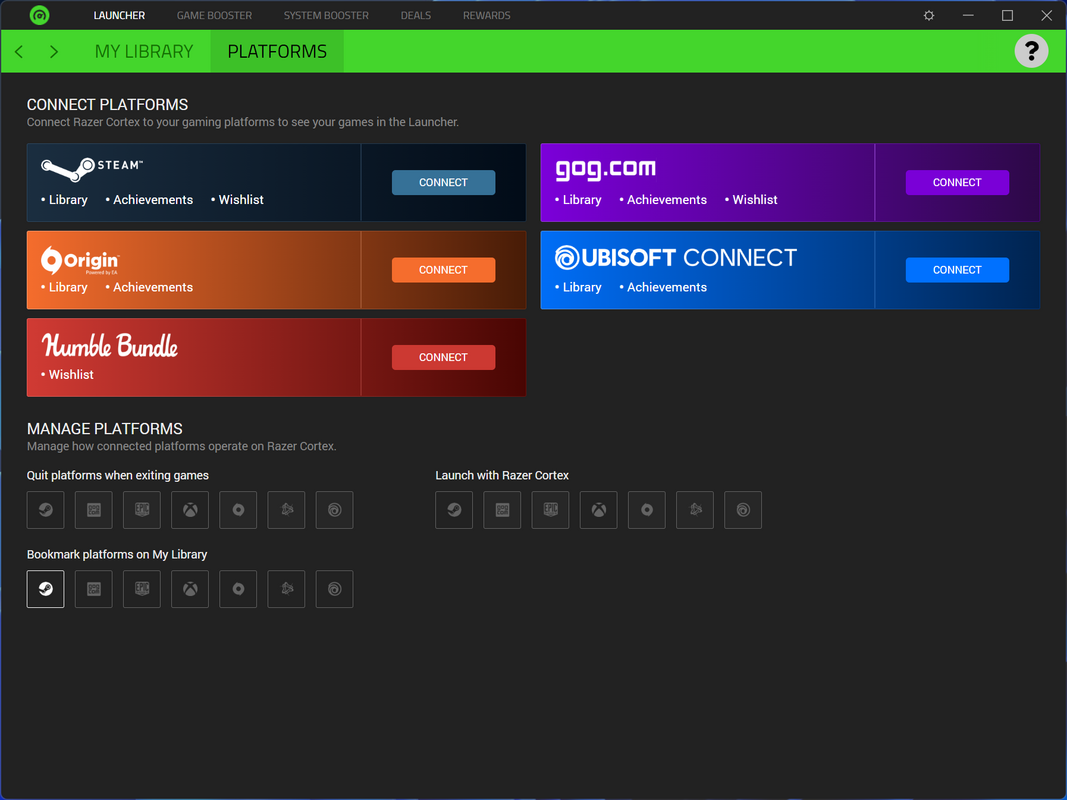
Yes, Razer Cortex supports games installed on various platforms, including Steam, Epic Games Store, and others. It automatically detects and organizes games regardless of the original source.Does Razer Cortex require an internet connection?
Yes, an active internet connection is required for accessing gaming deals, updating the game library, and using the performance optimization features.How often does Razer Cortex update its gaming deals?
The app refreshes its deal feed regularly to ensure users receive up-to-date offers. The frequency may vary based on the availability of new promotions.Can I record gameplay without using external software?
Yes, Razer Cortex includes built-in recording functionality that allows users to capture gameplay directly within the app, eliminating the need for third-party tools.Final Thoughts
Razer Cortex stands out as a practical, free utility for PC gamers seeking to enhance performance, streamline game management, and save on purchases. Its combination of a game booster, centralized launcher, deal tracker, and recording tools creates a cohesive ecosystem that supports both casual and competitive players. The app’s lightweight design and clean interface ensure it remains unobtrusive while delivering tangible benefits. While the developer did not disclose detailed technical requirements or performance benchmarks, the app’s functionality is evident in real-world use. Gamers who value efficiency, cost savings, and a distraction-free environment will find significant value in Razer Cortex. Download Razer Cortex nowGuides & Tutorials
How to install Razer Cortex
- Click the Download button above.
- Once redirected, accept the terms and click Install.
- Wait for the Razer Cortex download to finish on your device.
How to use Razer Cortex
This software is primarily used for its core features described above. Open the app after installation to explore its capabilities.
User Reviews
No reviews yet. Be the first to share your experience.
You may also like
more
Que no te pillen¡
About !Que no te pillen¡Reviewed by Jason A. BilbreyShow MoreShow Less

3D Combat Zone
About 3D Combat ZoneOriginally released in 1983, 3D Combat Zone immerses players...

666: El día del portal
About 666: El día del portalOn June 6, 2006, Agent P. Stone uncovers a sinister...

80 in 1 Best Flash games
About 80 in 1 Best Flash games 80 in 1 Best Flash games is a collection of 80 fl...

ABYSS SEEKERーーWhat Do You See Deep in The Abyss
About ABYSS SEEKERーーWhat Do You See Deep in The AbyssIn ABYSS SEEKER, players...

ACA NEOGEO THE KING OF FIGHTERS 2002 for Windows
About ACA NEOGEO THE KING OF FIGHTERS 2002 for WindowsTHE KING OF FIGHTERS 2002,...